A step-by-step guide for Education Program Specialists (EPS) on how to access and monitor student data across the entire Division of Zamboanga Sibugay through the MoodleSync Portal.
"Gabay para sa ating mga EPS — upang ma-monitor ang lahat ng paaralan sa buong Division of Zamboanga Sibugay gamit ang MoodleSync Portal."
Simulan ang TutorialAs an EPS, your account gives you the widest scope of access — you can view student accounts, LRN credentials, and assessment results from all districts and all schools across the entire Division of Zamboanga Sibugay. This is the highest level of portal access.
| Account Type | Data Access Scope | Example |
|---|---|---|
| School | 1 school only (their own) | Principal sees only their school |
| PSDS | All schools in 1 district | Ma'am Pagayon → Buug District |
| EPS | All districts & all schools (division-wide) | EPS → entire Zamboanga Sibugay |
A School account sees only their own school. A PSDS account sees all schools within one district. An EPS account sees everything — all districts and all schools across the division. The interface is the same, but the scope of data gets progressively wider.
School = 1 paaralan. PSDS = 1 distrito. EPS = buong division.
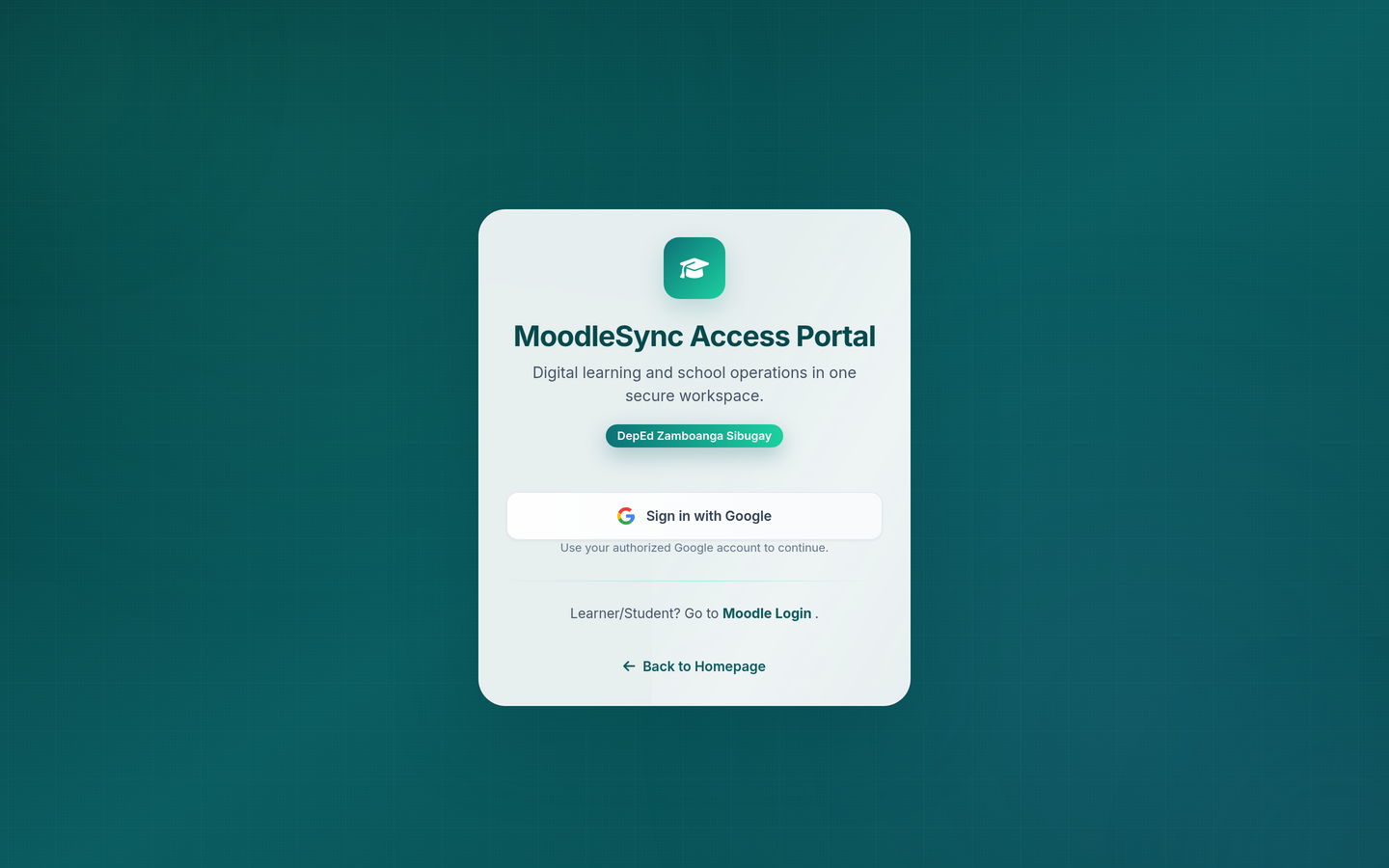
Visit the MoodleSync Portal and sign in using your authorized EPS Google Account.
Buksan ang portal at mag-sign in gamit ang inyong EPS DepEd Google Account.
Open Chrome, Edge, or any modern browser and go to https://zsibugaymoodlesync.com/portal/
Buksan ang Chrome o Edge at i-type ang link sa itaas.
Click the Google sign-in button and select your authorized EPS DepEd email.
I-click ang "Sign in with Google" at piliin ang inyong EPS DepEd email.
Only EPS accounts that have been registered by the Division ICT team will have division-wide access. Ensure you're using the correct email assigned to you.
Tanging mga EPS email na naka-register sa Division ICT team ang may division-wide access.
After signing in, you'll see all districts across the entire Division of Zamboanga Sibugay. You can drill down into any district and then into any school within it.
Pagkatapos mag-login, makikita ninyo ang lahat ng distrito ng buong Division of Zamboanga Sibugay.
Your EPS dashboard shows all districts in the Division. This includes Buug, Diplahan, Imelda, Ipil, Kabasalan, Mabuhay, Malangas, Naga, Olutanga, Payao, R.T. Lim, Roseller Lim, Siay, Talusan, Titay, and Tungawan.
Makikita ang listahan ng lahat ng distrito sa division.
Click on any district to see the list of schools within that district. Then click on a specific school to view its data.
I-click ang isang distrito upang makita ang mga paaralan nito, at piliin ang isang paaralan.
You can freely switch between districts and schools without logging out. Your EPS access allows seamless navigation across the entire division.
Pwede kayong mag-switch ng distrito at paaralan nang hindi nag-lo-logout.
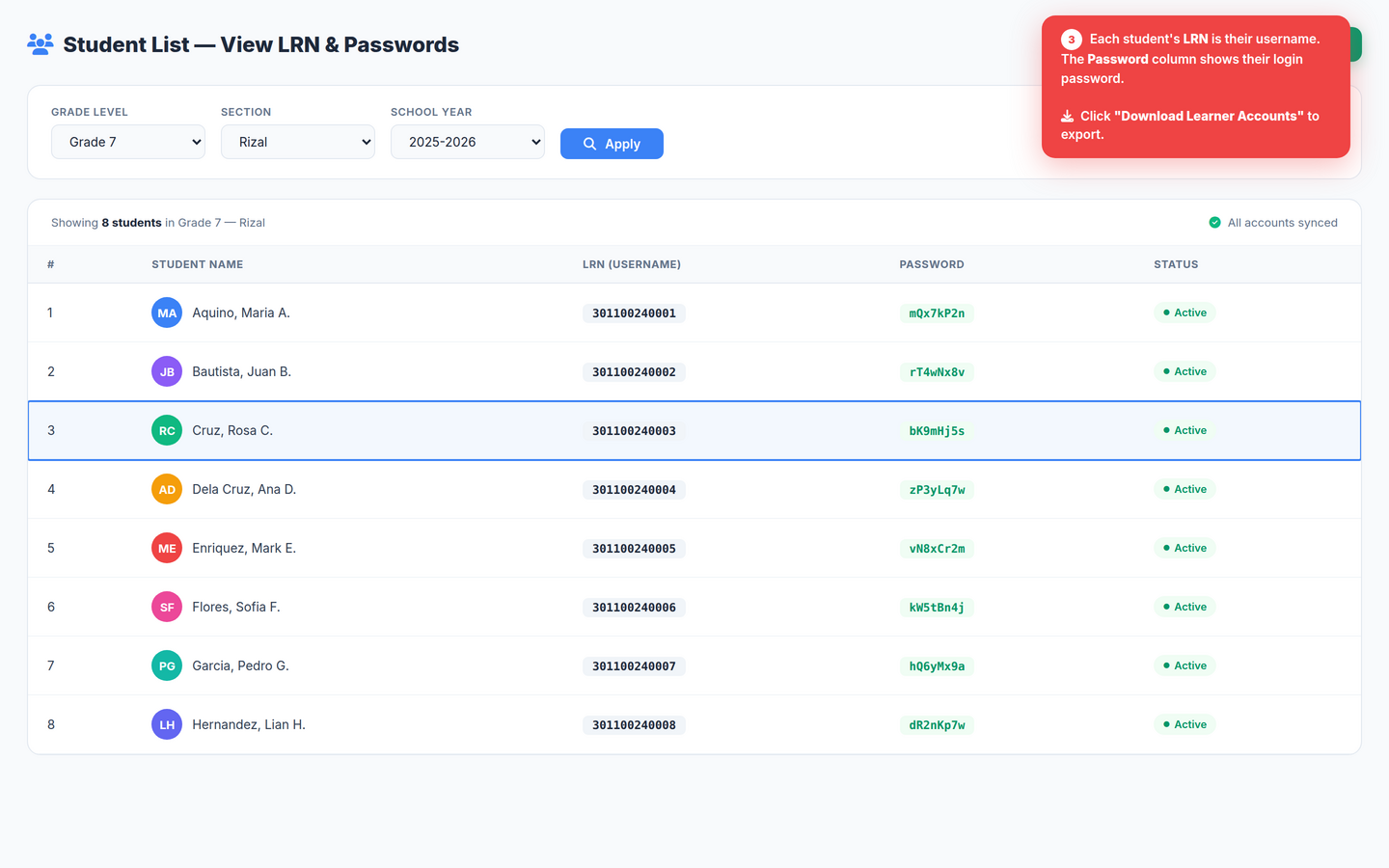
Once you select a specific school, you can view and download the student accounts (LRN & passwords) for that school.
Pagka-select ng isang paaralan, makikita at mada-download ninyo ang mga student accounts (LRN at password) nito.
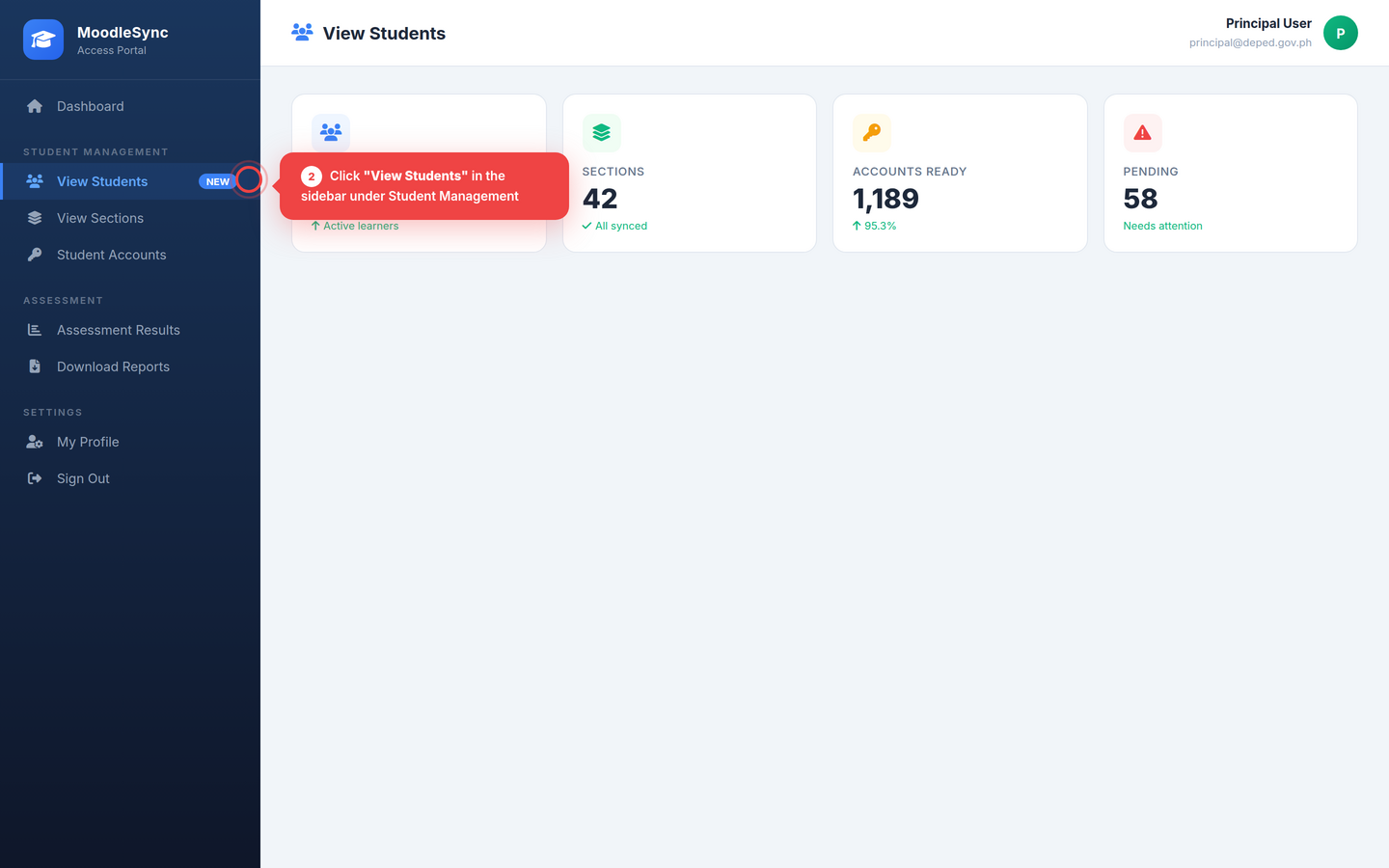
After selecting a school, click "View Students" to see all enrolled students with their LRN and password.
I-click ang "View Students" upang makita ang mga estudyante ng napiling paaralan.
Click the Download button to export student accounts. You can do this for any school in any district across the division.
I-click ang "Download" button para ma-export ang student accounts ng kahit anong paaralan.
Navigate back and select another district or school. You can check every school's student accounts across the entire Division of Zamboanga Sibugay.
Bumalik at pumili ng ibang distrito o paaralan upang ma-check ang data ng ibang schools.
As an EPS, you can use this access to quickly verify which schools have set up their student accounts and which ones still need assistance. This is very helpful for division-wide monitoring and support.
Gamit ang EPS access, ma-verify ninyo kung aling mga schools ang may setup na at kung alin ang nangangailangan pa ng tulong.
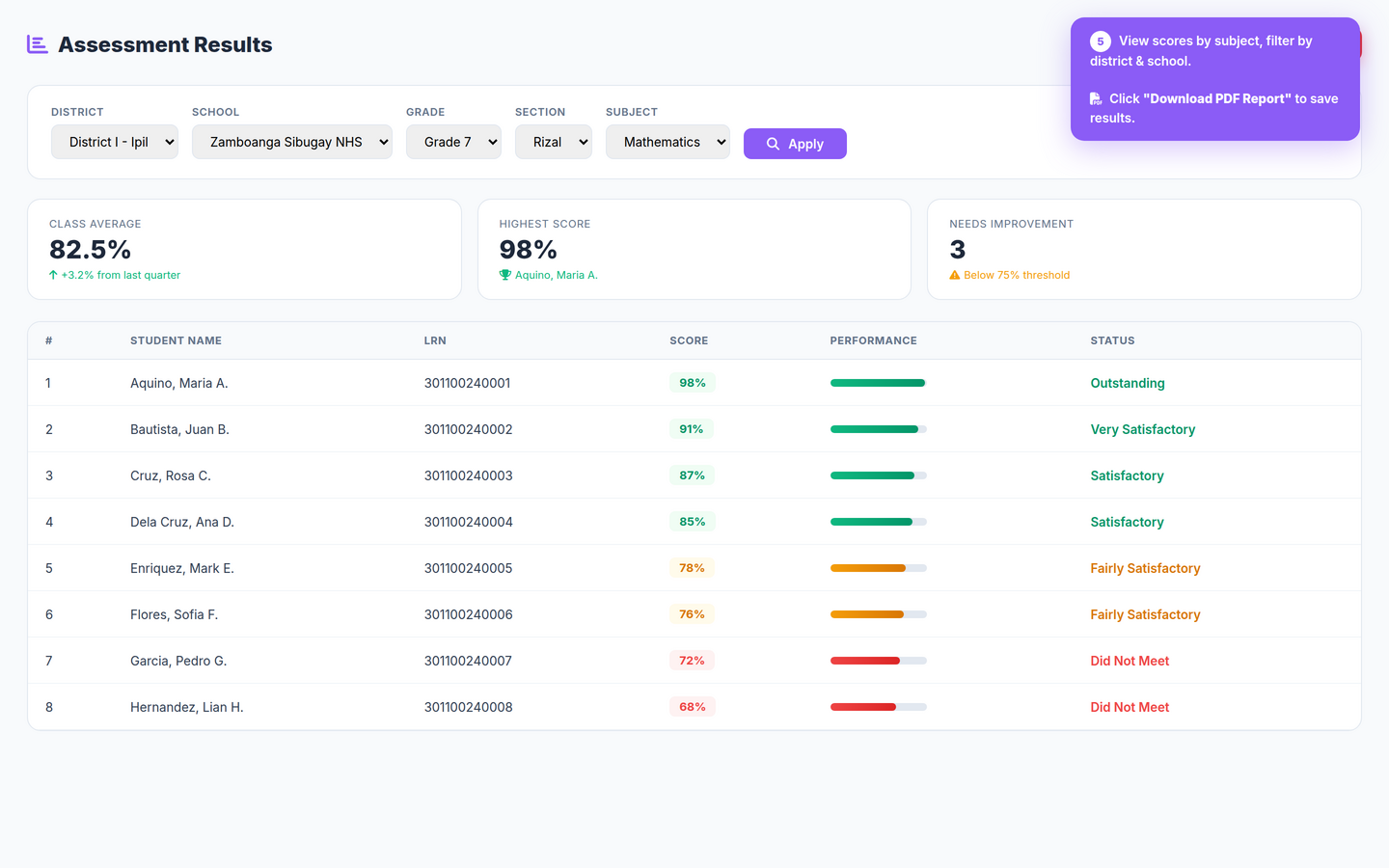
As an EPS, you can view and compare assessment results across all districts and schools — enabling you to monitor learner performance at the division level.
Bilang EPS, makikita ninyo ang assessment results ng lahat ng distrito at paaralan — para sa division-wide performance monitoring.
Select a school and click "Assessment Results" to view learner performance data. You can do this for any school across the division.
Pumili ng paaralan at i-click ang "Assessment Results" upang makita ang performance data.
By checking results from different districts and schools, you can identify trends, spot schools that need support, and make data-driven decisions at the division level.
Ma-compare ninyo ang results ng iba't ibang distrito at paaralan para sa data-driven decisions.
Download assessment results per school or district for your reports, analysis, or sharing with other EPS colleagues and division officials.
Mada-download ang results para sa inyong reports at analysis sa division level.
Mga madalas na katanungan tungkol sa EPS account
Congratulations! You now know how to use your EPS account to access division-wide student data through the MoodleSync Portal. You can monitor all districts and all schools from one dashboard.
"Binabati namin kayo! Alam na ninyo kung paano gamitin ang inyong EPS account upang ma-monitor ang lahat ng distrito at paaralan sa buong division."